TallyStamp › Google reviews
How to get more Google reviews for your business
TallyStamp asks your regular customers for a review on their phone and makes you a poster with a QR code that leads straight to writing it.

The app asks your most regular customers for a review
Someone who has completed several cards has come back many times, and is the most eager to recommend you.
- You choose how many completed cards it takes to ask: 1, 3, 5, 10, 15 or 20.
- When your customer reaches that number, their wallet shows them a prompt with a button that leads to writing the review on Google.
- You can change the text of the prompt.
- At least seven days pass between one request and the next.
A QR poster for your tables or counter
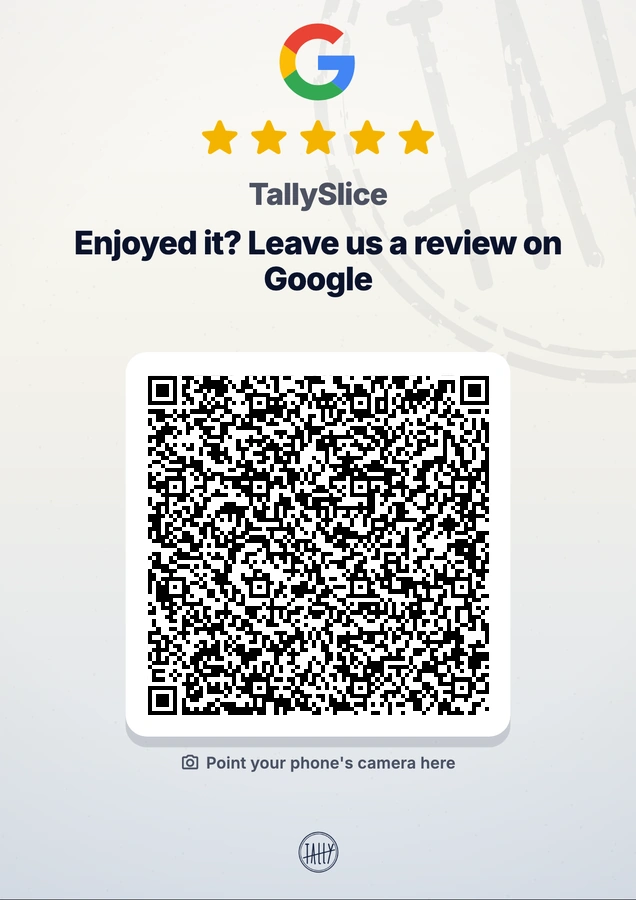
- Whoever scans the QR code with the camera goes straight to writing the review on Google, with no app needed.
- You choose the line at the top of the poster. By default it says “Enjoyed it? Leave us a review on Google”.
- The app makes an image ready to print in A6, A5 or A4.
How to set it up
- In Account, open Business settings and then Google reviews.
- Open Google Maps, find your business, tap Share and paste the link into the app.
- The app checks the link. When it turns green, your customers go straight to the review form.
- For the poster, tap Create the poster, at the end of the same screen.
Questions
Does the customer need an app to leave the review from the poster?
No. They scan the QR code with their phone's camera and go straight to writing the review on Google.
Can I give a reward in exchange for a review?
No. Google doesn't allow offering anything in exchange for a review.
Is it in the free plan?
No. Google reviews and the review QR are TallyStamp PRO features.
Download TallyStamp and paste your business's link.