TallyStamp › Create a loyalty card
How to create a digital loyalty card
All you need is your phone. Your customers don't sign up or fill anything in. Free for up to 100 active customers.
1. Choose the card type
- Stamps: one stamp per visit or per item. When the card is complete, the customer gets the reward.
- Spend: adds up what the customer spends. When their spending reaches the target, they get the reward.
- Balance: a gift card. It starts with an amount, and what the customer spends is taken off it.
- Voucher: a one-time reward, for a promotion or a welcome gift.
2. Design the card
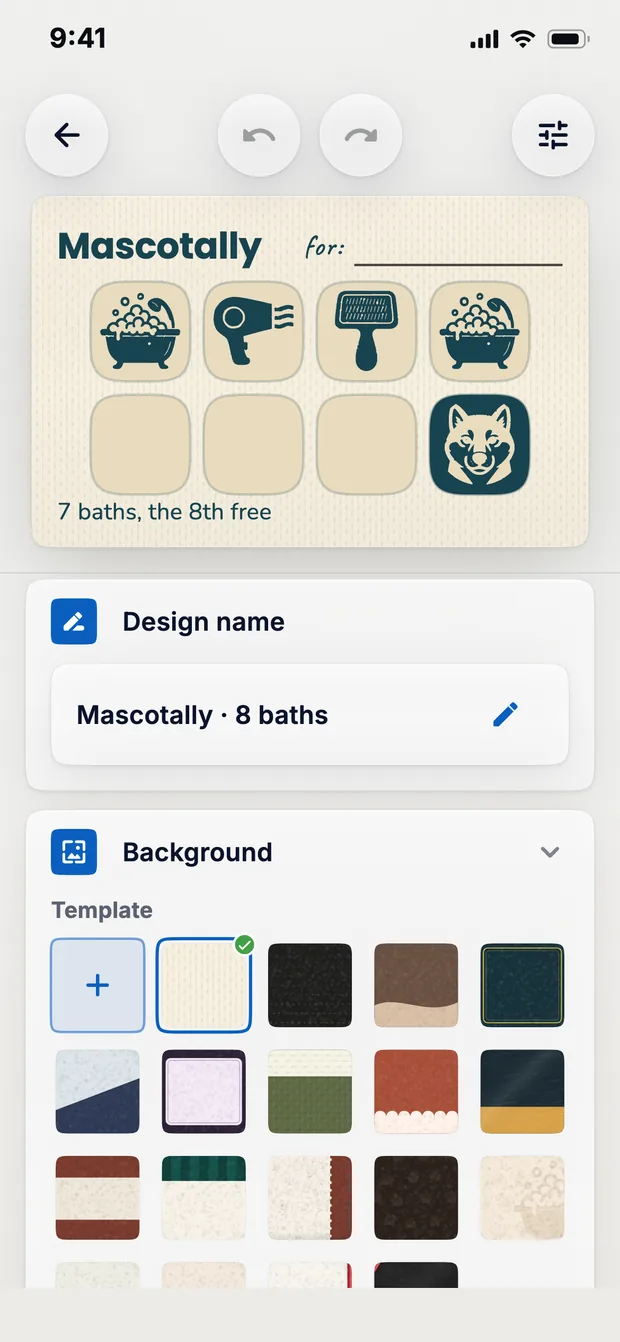
- In Design, tap + and choose the type. The type can't be changed afterwards.
- Choose the background, stamps and colours, and write the title and the reward.
- Set the number of stamps or the spending target. Once you've handed out cards with that design, that figure can no longer be changed.
- Tap Save.
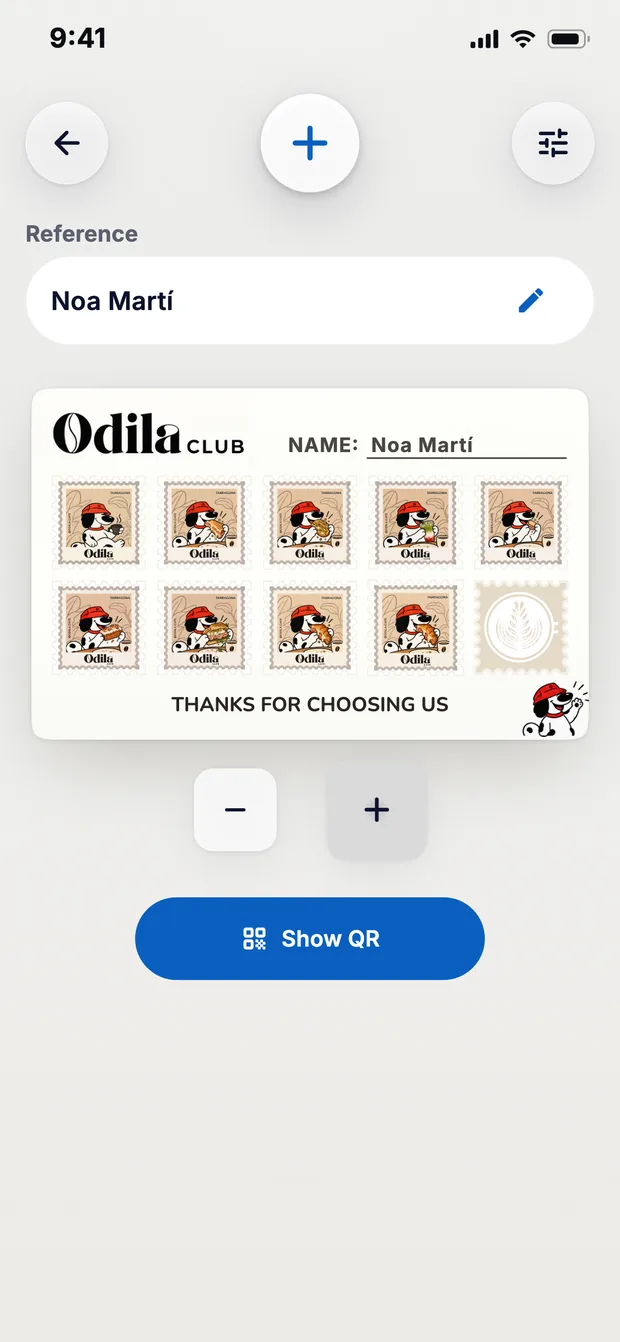
The last slot on the card is the reward. On a ten-slot card, the customer pays for nine coffees and the tenth is free.
3. Hand it over with a QR code
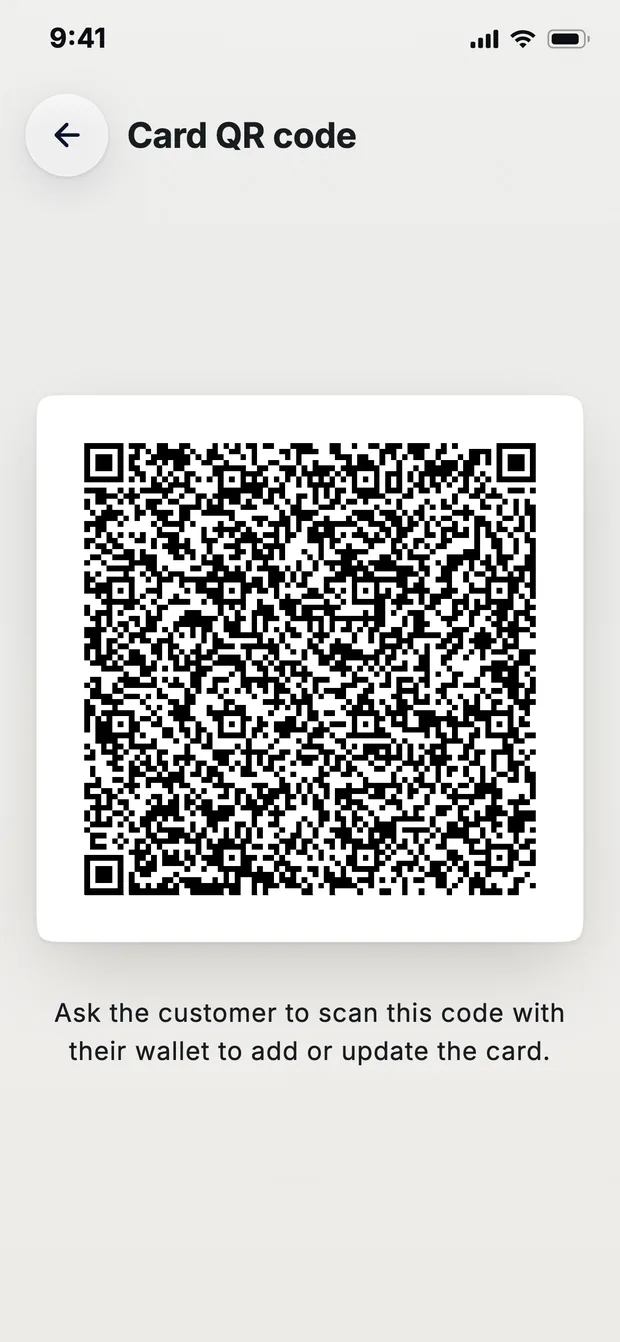
- In Create, swipe to the card and tap Show QR.
- Your customer scans the QR code with the camera. If they don't have the app, the QR code takes them to the store to install it.
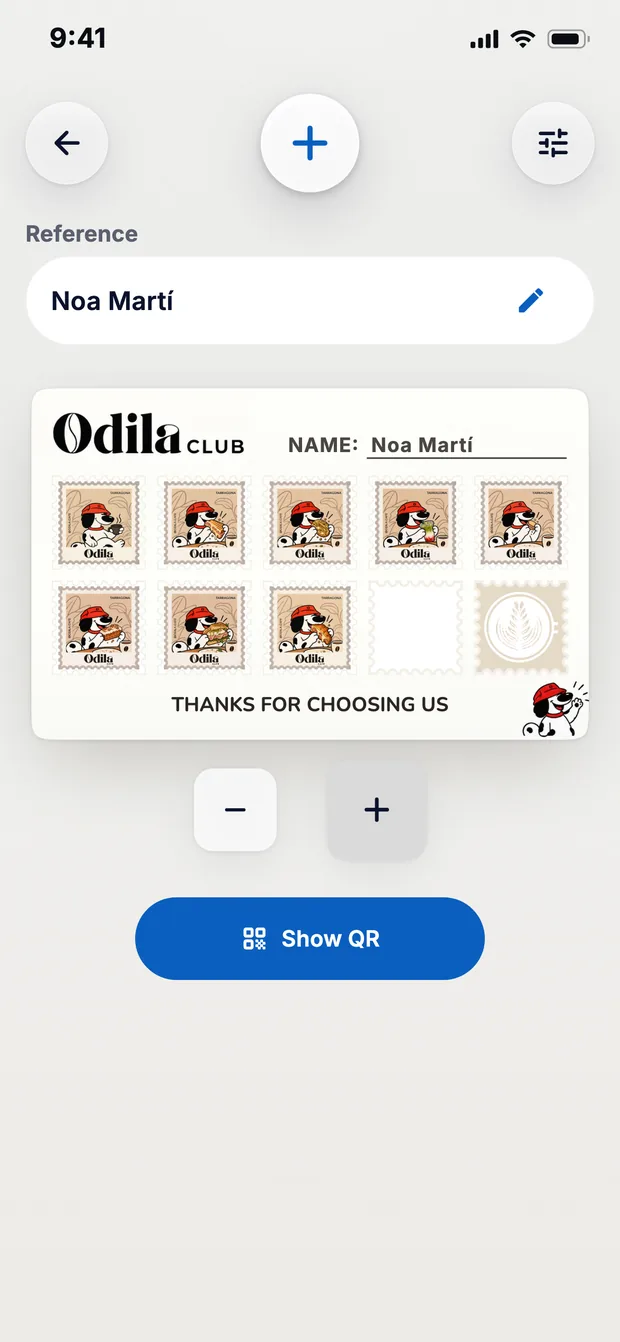
- If you type a reference (a name, a nickname or a number) before tapping Show QR, the customer appears in your Customers list. That way you can also keep the card of anyone who doesn't want to install anything.
- You can also print the counter QR. Whoever scans it can download the app and save an empty card without waiting at the counter.
4. Identify the customer
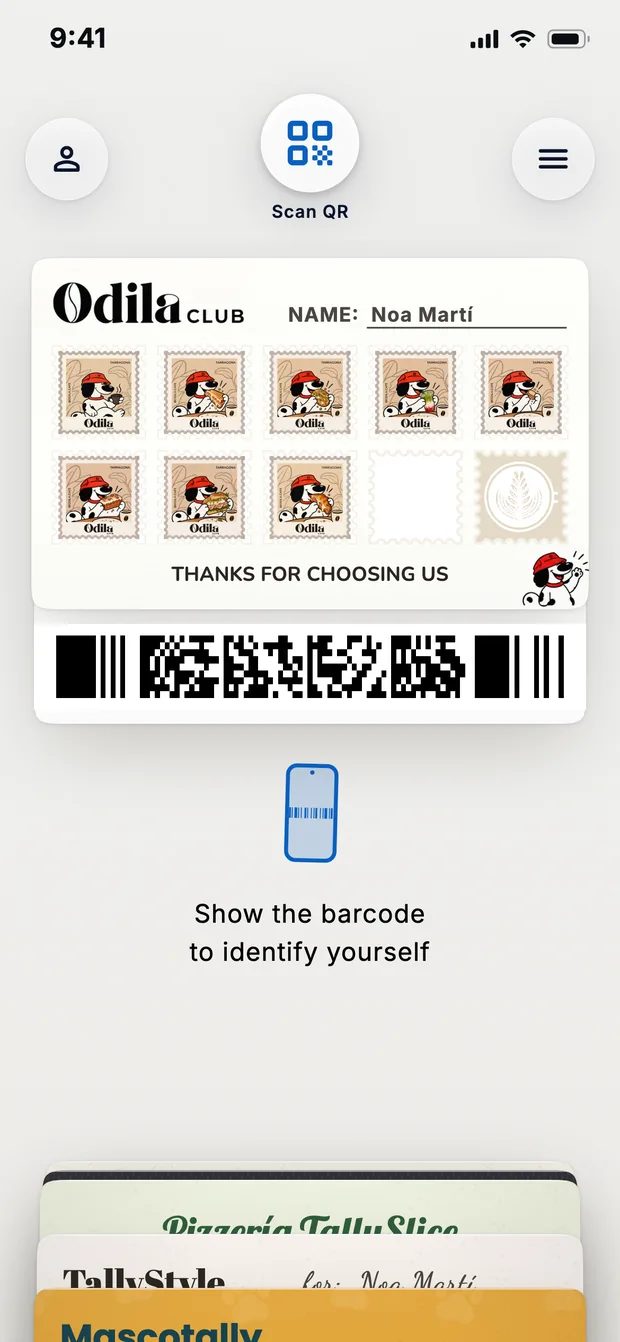
- On their next visit, they show you their card's barcode. You scan it in Scan and their record opens.
- If they don't have their phone with them, you can look them up in Customers by their reference.
5. Add the stamp or the spending
- Stamp card: tap + to add a stamp. With − you take off the last one.
- Spend card: type the amount and tap +.
- Voucher: tap Redeem.
6. When the card is complete
- An animation plays on your phone and on theirs.
- If they can't redeem the reward there and then, you give them a voucher for another day.
- If the design has Automatic renewal, the card renews by itself. On spend cards, what's left over can carry over to the new one.
Questions
Do my customers have to sign up?
No. They scan the card's QR code and have it on their phone, with no sign-ups or passwords.
Can it work offline?
Yes. Stamping, adding spending, redeeming, creating cards and scanning can all work offline.
How much does it cost?
It's free for up to 100 active customers. With PRO there's no customer limit.
Download TallyStamp and hand out your first card.